Kling AI Video
Loading

Kling 4.0 AI Video Generator: Make Cinematic Video from Text and Images

Kling 4.0 renders 3 to 30 seconds at up to 4K with 10-bit HDR, two-channel stereo audio, and up to 10 keyframes per generation.

What is Kling 4.0?

Kling 4.0 is Kuaishou's flagship AI video model — the fourth major version of the Kling line — launching October 2026. It takes a text prompt, an image, or up to 15 reference items and renders 3 to 30 seconds of video with synchronized stereo audio in a single pass, at up to 4K with 10-bit HDR.

It is the fourth major version of the Kling line:

  • Kling 1.0June 10, 2024, beta
  • Kling 2.0April 2025
  • Kling 3.0February 7, 2026, added native 4K and multi-shot sequencing
  • Kling 3.0 Turbo and OmniJune 17, 2026, added 4K editing and the Omni One engine
  • Kling 4.0October 2026; Kling 4.0 Flash in early access since September 28, 2026

Kling 3.0 generates clips from 3 to 15 seconds in 1080p and 4K. Kling 4.0 doubles single-pass length to 30 seconds, keeps 720p, 1080p and 4K output, and adds three things Kling 3.0 does not have: 10-bit HDR at 1080p and 4K, 21:9 ultrawide framing, and two-channel stereo audio.

Kling 4.0 ships in two tiers:

  • Kling 4.0 — 3 to 30 seconds, up to 4K, 10-bit HDR. Launching October 2026.
  • Kling 4.0 Flash — 3 to 20 seconds, 720p, 8-bit SDR. Built for fast, frequent generation. In limited early access since September 28, 2026.

Sourcing. Every Kling 4.0 figure on this page comes from Kuaishou's own model release page and API pricing page. Kling 3.0 and Seedance 2.5 figures come from their respective vendor documentation.

Kling 4.0 Features

Four upgrades, in Kuaishou's own framing — audio-visual quality, reference control, narrative and content range.

Audio-visual performance for true-to-life visuals

Dynamic motion and complex camera moves stay stable — high-speed action, tracking and orbit shots hold together instead of tearing. Audio renders as two-channel stereo with tighter lip sync, and facial detail, lighting and texture read as filmed rather than generated. Output reaches 4K with 10-bit HDR and supports 21:9 ultrawide, giving colourists real room in backlit and night scenes.

Omni Reference for greater creative control

Kling 4.0 takes 15 reference assets in one generation — up to 10 images, 5 videos and 7 subjects. References go beyond a character photo to three-view sheets, grids, wireframes and depth-map video, so you define characters, layout, style and camera before anything renders. You can also recreate an existing video's pacing and framing with your own product or cast, and edit a finished clip in place instead of regenerating it.

Narrative upgrade for seamless storytelling

Single generations run to 30 seconds, long enough for a continuous take rather than stitched fragments. Up to 10 keyframes let you pin the exact moments the story has to hit. Prompts accept 8,000 tokens, and Kling 4.0 expands a short brief with a director's eye rather than reading it literally.

Diverse content for limitless creativity

Styles hold as styles — vlog, documentary, claymation, glitch, felt and 3D cyberpunk stay distinct instead of drifting toward one look. Nine languages with regional accents including Cantonese, Sichuanese, British and Indian English. On-screen text renders legibly across those languages plus emoji and logos, and stays readable as the camera moves.

What You Can Make with the Kling 4.0 AI Video Generator

Six output types people build with Kling 4.0 every day. The same prompt box handles all of these — what changes is what you feed it and how you phrase the shot.

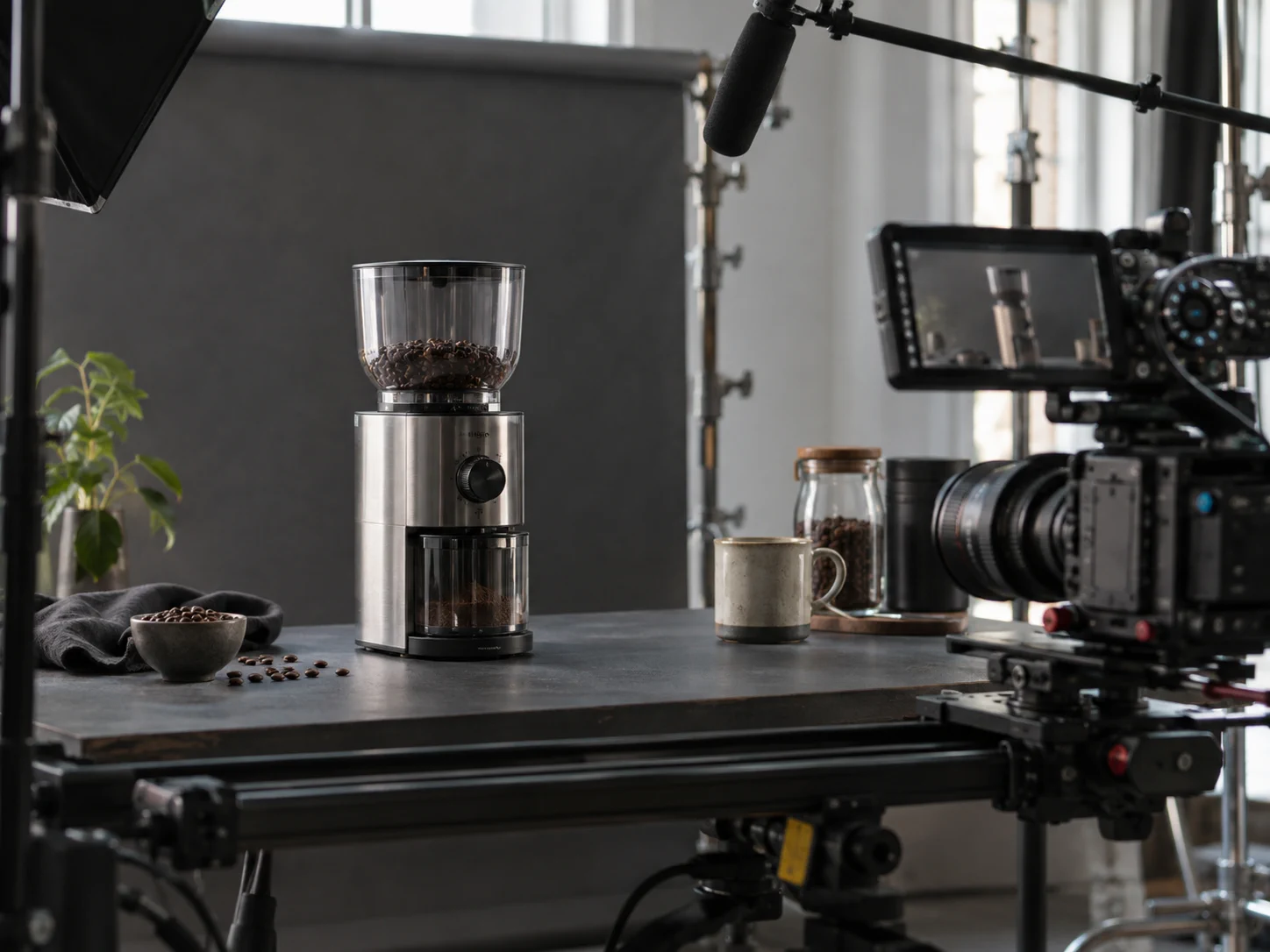
A coffee grinder product advertisement being filmed on a real camera slider

Product ads

upload one product still, get a 30-second spot with camera movement and a voiceover

A ceramic artist speaking naturally to camera in a working pottery studio

Talking-head clips

a character delivering a script with matched lip-sync, in the language you wrote it in

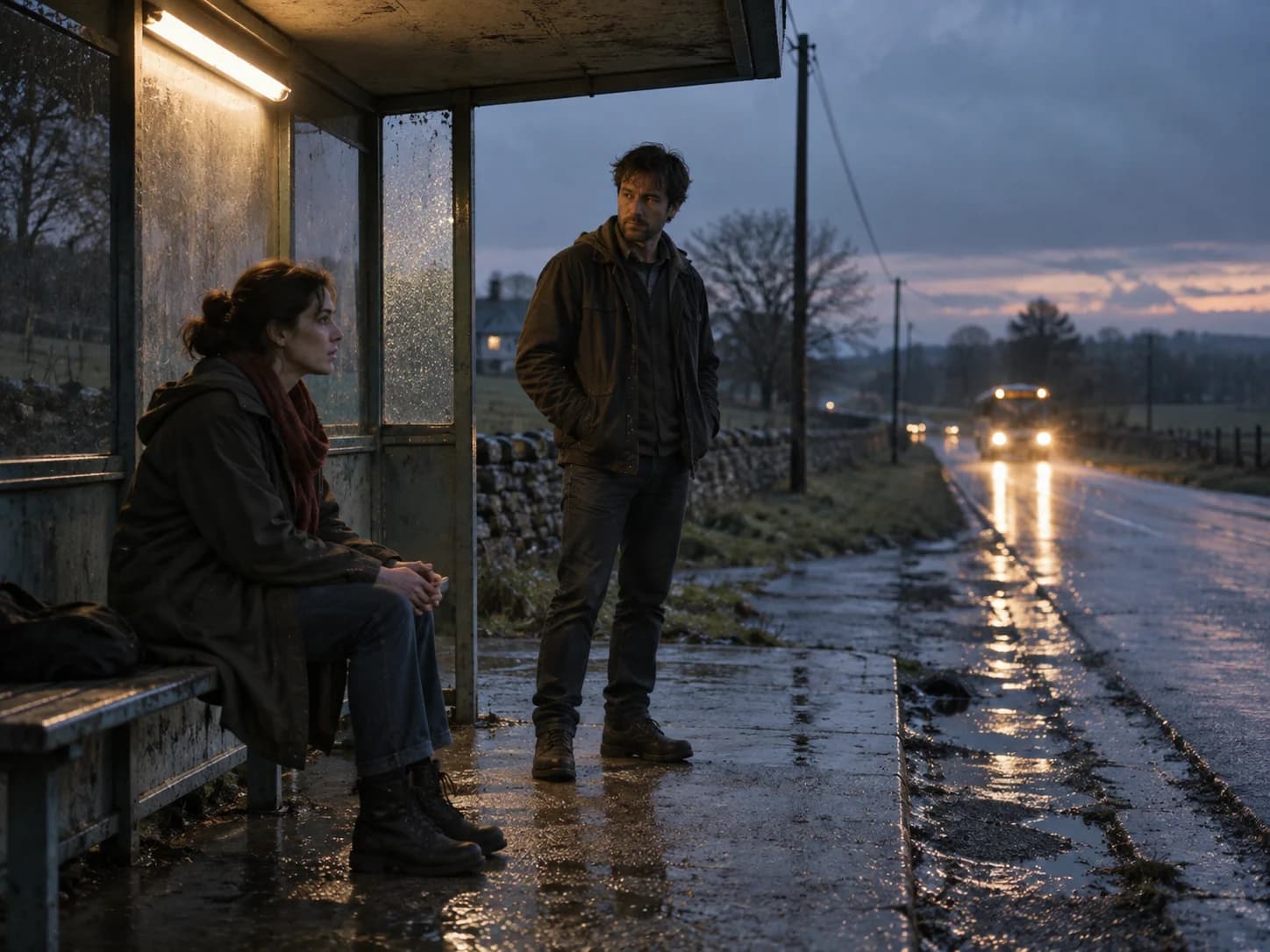
Two characters holding a dramatic story beat at a rain-darkened bus stop

Short film scenes

multi-shot sequences with continuity, cut inside a single generation

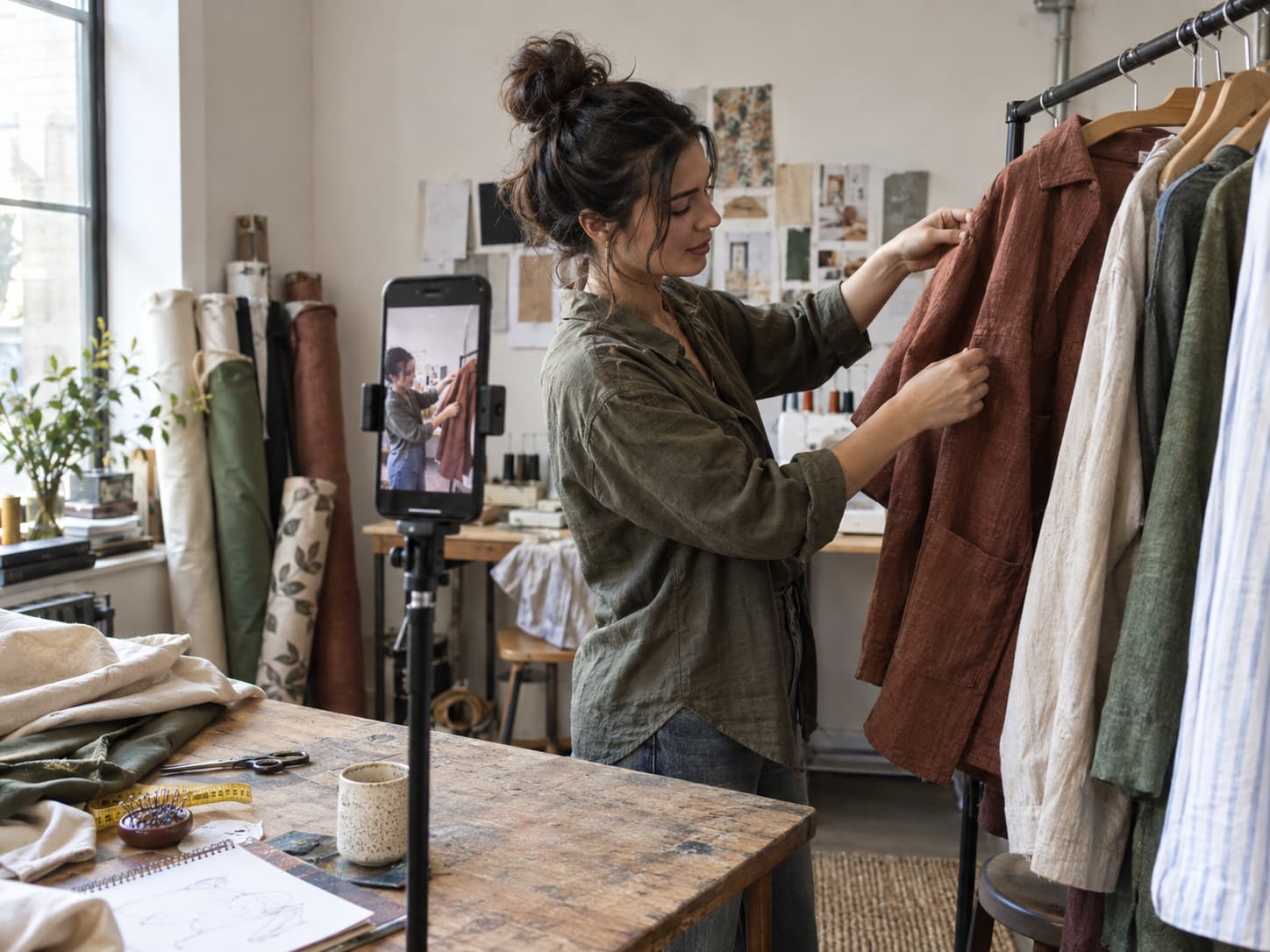
A fashion maker recording a vertical social video in a small studio

Social cuts

vertical 9:16 output with on-screen text rendered by the model, not added in post

A bicycle mechanic demonstrating a repair while a camera records the details

Explainer video

a concept walked through across several shots, with narration

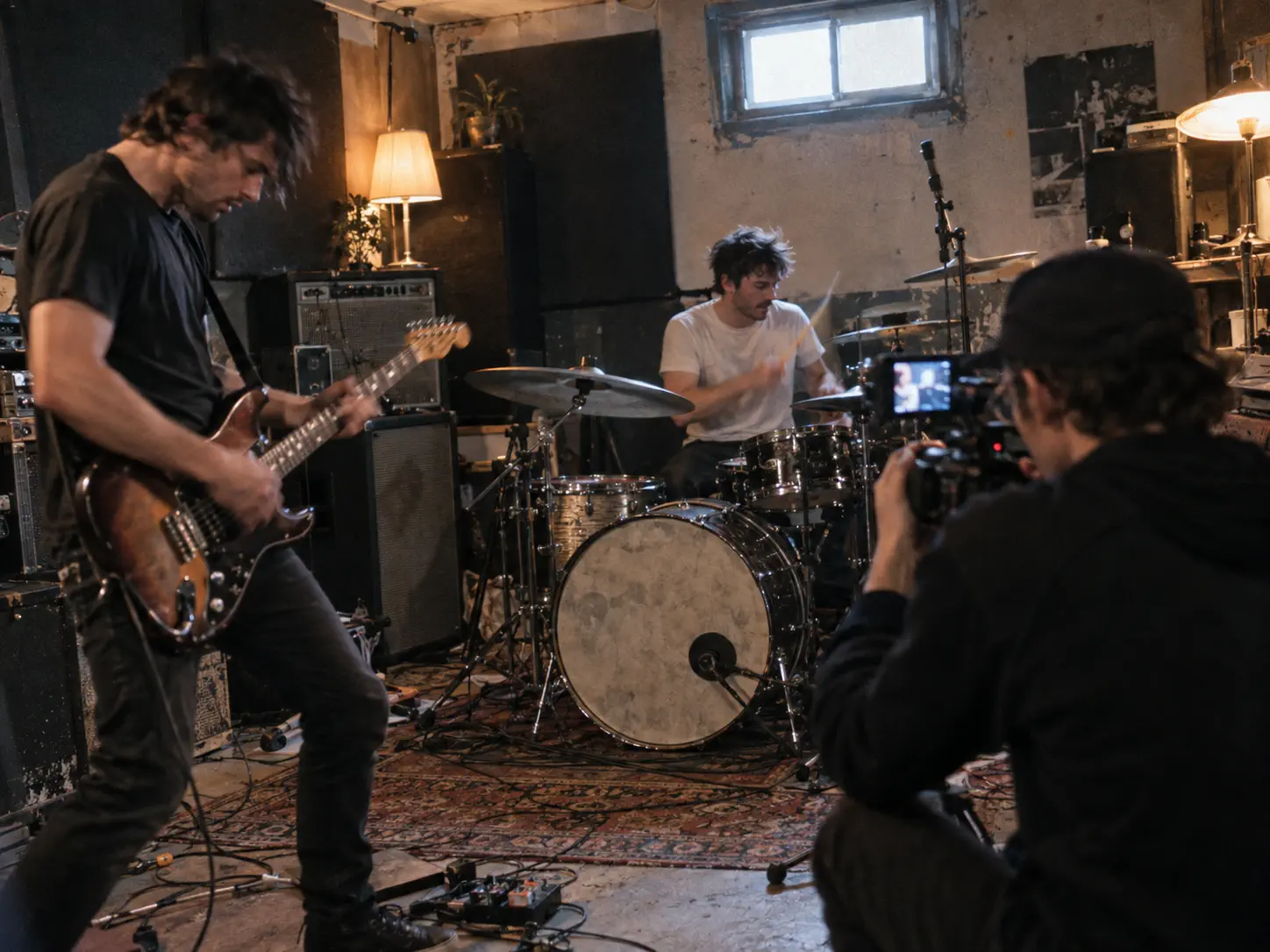
A handheld camera capturing a band rehearsal for a music-led montage

Music-led montage

image references in, rhythm-matched cuts out

Kling 4.0 Prompt Examples

Five prompts that work, and the reason each one works — copy these and change the nouns; the structure is what matters, not the subject.

Product shot

A matte black espresso machine on a concrete counter, slow dolly in from the left, steam rising, warm morning light through a window off-frame right, shallow depth of field.

Why it works: one subject, one camera move, one light source, named in that order. Kling 4.0 handles a single clear instruction per clause better than a stacked description.

Character dialogue

A woman in her thirties in a hotel lobby, looking directly at camera, says: "I told you it would be here." Handheld, natural indoor light, background slightly out of focus.

Why it works: the dialogue is in quotes. Kling 4.0 renders lip-sync from quoted lines, and leaving them unquoted tends to produce mouth movement without matching speech.

Multi-shot scene

Shot 1: wide of a empty train platform at dusk. Shot 2: close on a departure board flipping. Shot 3: medium of a man picking up a suitcase and walking left.

Why it works: numbered shots. Kling 4.0 reads explicit shot breaks and keeps the location consistent across them, which a single run-on sentence does not reliably do.

Image to video

[upload a product still] Rotate slowly clockwise on a turntable, studio softbox lighting, seamless white background, no camera shake.

Why it works: the still carries the subject, so the prompt only describes motion and light. Re-describing what is already in the image tends to make the model drift from it.

Style reference

[upload 3 frames from a reference clip] A cyclist riding through wet city streets at night, matching the colour and grain of the reference.

Why it works: references handle look, the prompt handles action. Splitting the job this way is more reliable than asking for a style in words.

Kling 4.0 Use Cases

Six production types Kuaishou built for, and the capability that carries each one.

Product advertising.

Feed a product still plus reference images for colour and lighting and get a 30-second spot with camera movement and a voiceover. The 15-item reference budget covers a product shot, a brand colour reference and a lighting setup with room to spare, and precise editing means a client note about the background does not cost you the whole render.

UGC-style product promotion.

Creative recreation is the capability that matters here: reference the pacing, framing and delivery of a video that already performs, then replace the product and the presenter with yours. Lip sync across nine languages and regional accents means one script produces localised versions without re-recording.

Game trailers.

White-model and depth-map video references give exact control over motion and camera timing, which is how you match a trailer's beat to gameplay rather than approximating it. Game UI reference images let you hold interface elements in frame.

Short drama.

This is where 30 seconds plus 10 keyframes changes the work. A scene runs as one continuous take with pinned beats — a character's state at second 5, a scene change at second 18 — instead of a chain of stitched fragments. Storyboard reference images carry composition across shots, and extension to 2 minutes, when it ships, turns a scene into a sequence.

Commercial design and brand work.

Three-view reference sheets, image grids and wireframes define layout and style before generation starts. On-screen text renders legibly in nine languages plus emoji and logos, and holds as the camera moves — the part that usually breaks on brand deliverables.

Animation.

Distinct styles hold as styles: claymation, felt texture, glitch art and 3D cyberpunk stay in character across a generation rather than drifting toward photoreal. Multi-character reference images keep a cast consistent.

Music videos.

Two-channel stereo renders with the picture rather than being laid over it, and 21:9 gives the width that music video framing usually wants. Feed a reference clip for pacing and let the cuts follow the track rather than the prompt.

Kling 4.0 vs Kling 3.0

What changed in Kling 4.0, and the two jobs where Kling 3.0 and Seedance 2.5 are still the better pick.

Kling 4.0Kling 3.0 / OmniSeedance 2.5

Clip length, one pass

3–30s

3–15s

30s

Extension

multiple times, up to 2 min (coming soon)

—

multi-round, cap not published

Resolution

720p / 1080p / 4K

1080p / 4K

native 1080p

Dynamic range

10-bit HDR (1080p, 4K)

8-bit

not published

Aspect ratios

21:9 / 16:9 / 1:1 / 9:16

16:9 / 1:1 / 9:16

not published

Reference items

15 total (10 img, 5 video, 7 subjects)

3–8s character video

50 (30 img, 10 video, 10 audio)

Keyframes

up to 10

not published

not published

Prompt length

8,000 tokens

not published

not published

Audio

two-channel stereo + lip-sync

native audio + lip-sync

native audio

Video editing

up to 5 clips, ≤30s combined

4K editing (Omni)

timestamp-level

Released

October 2026; Flash early access Sept 28

Feb 7, 2026

Jul 31, 2026

What Kling 4.0 Is Not Good At

Five things to plan around before you build a project on Kling 4.0. Every video model fails in specific ways — knowing where Kling 4.0 breaks saves more time than knowing where it shines.

Hands doing detailed work.

Fingers gripping a tool, typing, or handling small objects still come out wrong often enough that you should plan the shot around it. Frame hands out, keep them still, or accept a re-roll budget.

Text you need to be exact.

Kling 4.0 renders on-screen text, but a specific string — a brand name, a price, a phone number — can come back subtly wrong. For anything that has to be legally or factually correct, composite the text in afterward.

Long dialogue.

Lip-sync holds for a line or two. Across a 30-second monologue, drift accumulates and the mouth stops matching the audio near the end. Break long speech into separate generations.

Exact brand or product replication.

References get you close on a product's shape and colour, but logos, typography, and fine surface detail shift between generations. For ad work where the product must be pixel-accurate, shoot the hero product and use Kling 4.0 for the surrounding scene.

HDR and 2-minute extension are not there yet.

Kuaishou lists both 10-bit HDR output and multi-pass extension to 2 minutes as coming soon, not available on day one. If your plan depends on either, plan around a wait. Kling 4.0 Flash, the tier in early access now, is 720p and 8-bit SDR only.

How To Use Kling 4.0

Three steps, about two minutes from prompt to finished clip.

1. Write the prompt.

Describe the subject, the camera, then the light — a chef plating pasta, slow dolly in, warm window light from the left. Kling 4.0 responds to concrete nouns more than adjectives, so name the objects rather than the mood. Prompts accept up to 8,000 tokens, so a full shot list fits in one instruction rather than being compressed into a sentence.

2. Add references and keyframes.

Drop in up to 15 items — 10 images, 5 videos, 7 subjects. One clear face shot locks a character across shots; a product photo locks colour; a depth-map clip locks motion. Add keyframes when specific moments have to land, up to 10 per generation. Skip this step entirely for generic scenes, because references constrain the model and that is not always what you want.

3. Generate, then edit the moment rather than the clip.

You get a take in about two minutes. If one beat is wrong, edit that segment directly — change an expression, a camera position or a background while the rest stays put — instead of re-rolling the whole generation.

Kling 4.0 — Frequently Asked Questions

The questions people search most about Kling 4.0, answered with numbers.

What is Kling 4.0?

Kling 4.0 is Kuaishou's flagship AI video model, launching October 2026. It generates video from a text prompt, a single image, or up to 15 reference items, and renders synchronized audio with the picture rather than adding it afterward. It is the fourth major version of the Kling line, following Kling 3.0 in February 2026. Single-pass length runs 3 to 30 seconds against Kling 3.0's 3 to 15, output goes to 4K with 10-bit HDR, and it accepts up to 10 keyframe images. A faster tier, Kling 4.0 Flash, has been in limited early access since September 28, 2026 at 720p and up to 20 seconds. You can run Kling 4.0 in the Kling AI video generator on this page or through the official Kling AI app.

How much does Kling 4.0 cost?

Kling 4.0 is billed per second of output rather than per generation, so a failed render costs the same as a good one and a 5-second test costs a sixth of a 30-second take. Three things move the rate: resolution is by far the largest factor, native audio adds to it, and the Flash tier is cheaper than full Kling 4.0 by design. Because cost scales with length rather than attempts, the cheapest way to work is to settle composition at a low resolution and render once at full quality. Current per-second rates for every model and the credit pack prices are on the pricing page.

Can I use Kling 4.0 for free?

Yes, within limits. You get starter credits on this page with no card required, which covers a few short clips at 720p. That is enough to judge output quality on your own prompts before paying. Free Kling 4.0 access does not include the longest durations or the highest resolution, since those consume more credits per second. If you need unlimited Kling 4.0 generation, that requires a paid plan — no provider offers genuinely unlimited access to a model this expensive to run, and any site claiming otherwise is either rate-limiting you silently or running an older model.

What is Kling 4.0 Flash?

Kling 4.0 Flash is the fast tier of the Kling 4.0 lineup, built for frequent creation rather than hero shots. It generates 3 to 20 seconds at 720p in 8-bit SDR, with Omni Reference still available, and it opened to a limited group of users for early access on September 28, 2026 — ahead of Kling 4.0 itself. The trade against full Kling 4.0 is clear: you give up 4K, 10-bit HDR and the 30-second ceiling, and you get speed. In practice that makes Flash the right place to settle composition, camera movement and keyframes before committing to a full-resolution render, and the sensible default for high-volume social output where 720p is the delivery format anyway.

How does Kling 4.0 compare to Kling 3.0?

Four things changed. Single-pass length doubles to 30 seconds from Kling 3.0's 15. Output adds 10-bit HDR at 1080p and 4K, which Kling 3.0 does not have. You get up to 10 keyframe images to pin exact story beats, plus 21:9 ultrawide framing and two-channel stereo audio. Prompts run to 8,000 tokens. Reference handling moves to 15 items per generation — 10 images, 5 videos, 7 subjects — against Kling 3.0's narrower character-video system. What has not changed is that Kling 3.0 is available now at published rates while Kling 4.0 is not yet on the API, so for short clips under about 10 seconds Kling 3.0 stays the sensible default.

How does Kling 4.0 compare to Seedance 2.5?

Seedance 2.5 is ByteDance's competing model, released July 31, 2026, with 30 seconds per generation and 50 reference assets in one pass — 30 images, 10 video clips, 10 audio clips. On single-pass length the two are level at 30 seconds. On references Seedance 2.5 is roughly 3x ahead of Kling 4.0's 15 items, and that is the clearest reason to pick it. Kling 4.0 leads on output: 4K with 10-bit HDR against Seedance 2.5's native 1080p, plus 21:9 framing and up to 10 keyframes, none of which ByteDance publishes an equivalent for. Pick Kling 4.0 if the deliverable is graded, wide, or has to hit specific story beats. Pick Seedance 2.5 if the job is reference-heavy compositing.

When is the Kling 4.0 release date?

Kuaishou has confirmed that Kling 4.0 launches in October 2026. Kling 4.0 Flash, the faster tier in the same lineup, opened to a limited group of users for early access on September 28, 2026. For context on the cadence: Kling 1.0 entered beta on June 10, 2024, Kling 2.0 arrived in April 2025, Kling 2.5 Turbo in September 2025, and Kling 3.0 on February 7, 2026, with Kling 3.0 Turbo and Omni following on June 17, 2026. Major versions have landed roughly ten months apart, which puts Kling 4.0 right on schedule. Two capabilities are dated later than the model itself: 10-bit HDR output and multi-pass extension to 2 minutes are both listed as coming soon.

Does Kling 4.0 add a watermark?

Output from paid plans is watermark-free and cleared for commercial use. Free-tier clips carry a watermark, which is the standard trade for generating without a card. Check the licensing terms on your plan before using a clip in a paid campaign — commercial rights come with the paid tiers, not the free one. If you need a clean clip to show a client, the cheapest paid tier removes the watermark on every render from that point.

Can Kling 4.0 edit an existing video?

Yes, and this is one of the less-advertised capabilities. Kling 4.0 accepts up to 5 input video clips including one primary video, each 3 to 30 seconds, with the combined duration capped at 30 seconds. Within that you can make targeted changes — a character's expression, body movement, camera position or camera movement, the overall style, or the background — while the rest of the scene stays put. Kuaishou also supports element removal and character or product replacement inside existing footage. The practical value is that a client note about one detail no longer costs you a full regeneration: you change the moment, not the clip. For anything that needs a genuinely new scene rather than a modification, generation from a prompt is still the faster route.

Does Kling 4.0 support motion control?

Yes. Kling motion control lets you direct the camera the way you would on a real shoot — dolly, pan, tilt, rack focus, and macro moves — rather than hoping the model picks a good angle. Kling 4.0 keeps the physics consistent while the camera moves, so objects carry weight, collisions land where they should, and motion blur follows the actual movement rather than being applied uniformly. Searches for Kling motion control rose sharply through 2026 across the 2.6 and 3.0 releases, and it remains one of the features that separates Kling from models where camera direction is guesswork. Phrase the move as a single instruction per clause for the most reliable result. Reports add up to 10 keyframes per generation in Kling 4.0, which would let you pin an exact moment rather than describing it.

Does Kling 4.0 output 4K?

Yes. Kling 4.0 outputs 720p, 1080p and 4K, and adds 10-bit HDR at the top two resolutions — a capability Kling 3.0 does not have. Kling AI 4K output is generated at full resolution rather than upscaled afterward, so texture and grain hold up on a large screen where an upscaled clip goes soft. HDR is the part worth waiting for: in backlit shots, night scenes and neon-lit settings it holds more detail in highlights and shadows and reduces colour banding, which gives you far more room when grading. Kuaishou lists 10-bit HDR as coming soon rather than available on day one. Note that Kling 4.0 Flash, the early-access tier, is 720p and 8-bit SDR only.

How long does Kling 4.0 take to generate a clip?

About two minutes for a typical clip, though it varies with length, resolution, and whether audio is enabled. A short 720p draft comes back faster than a full-length 4K HDR render with native audio, and Kling 4.0 Flash is the cheaper tier for drafting at 720p. The practical workflow is to draft short and cheap first: get the composition and camera move right at a low setting, then re-render at full length once you are happy. Timestamp-level editing also means a single bad moment does not cost you a full regeneration — you fix that segment for a fraction of the credits a complete re-roll would take.

Try the Kling 4.0 AI Video Generator

Starter credits included. No card, no install.

Type a sentence, pick Kling 4.0 in the dropdown, and you have a clip in about two minutes. Starter credits are on the house — enough for a few 720p renders, which is enough to judge the output on your own material rather than on a showreel someone else picked.

If it works for you, the paid tiers remove the watermark and open the full length. If it does not, you have lost two minutes.

Try the Kling 4.0 AI Video Generator