Kling Motion Control

Apply movement from a reference video to a static character image. Choose your framing, refine the scene and create motion-guided image-to-video animation.

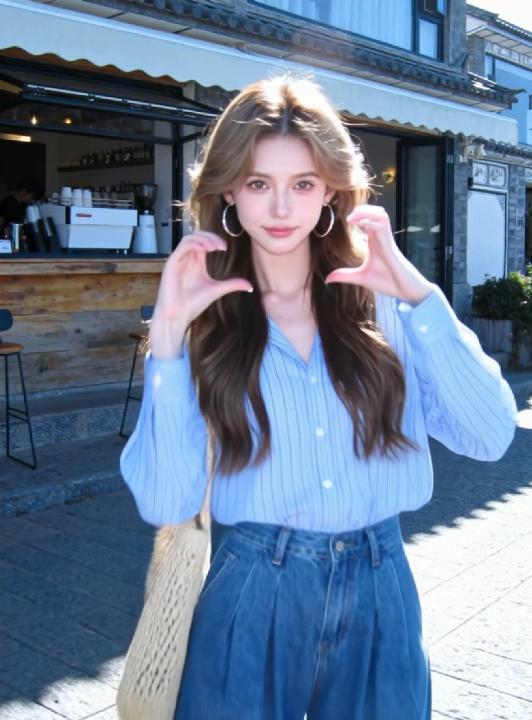
Character reference image
Heart Dance motion reference
Motion Control

What Is Kling Motion Control?

Use a video to define the movement and an image to define the character.

A reference-led workflow for dance, gestures, action and character animation.

Character image
Sets the subject and visual appearance.
Reference video
Supplies the action and movement sequence.
Orientation
Matches framing to the image or reference video.

Kling Motion Control extracts movement from a reference video and applies it to a static character image. The video provides the performance while the image supplies the character you want to animate.

Match the character orientation to the video for complex movement, or to the image to preserve your composition. Prompts refine the background, lighting and atmosphere, while audio settings let you keep the reference soundtrack or create silent output.

Choose a clear reference with visible limbs and a compatible character pose. Review contact, hands and fast movements in the finished take before publishing.

Key Features of Kling Motion Control

Plan the movement, framing, audio and visual finish as separate creative choices.

Advanced Motion Extraction and Transfer

Kling Motion Control intelligently analyzes and extracts complete motion sequences from 3–30 second reference videos—capturing everything from subtle gestures to complex choreography—and precisely transfers them to your static character images with remarkable accuracy.

Full-Body Motion Precision

Kling Motion Control delivers exceptional full-body motion accuracy, maintaining natural posture transitions and limb articulation. Even the most challenging movements—from martial arts sequences to dynamic dance routines—are rendered with smooth, physically coherent motion.

Precision Hand and Gesture Control

Kling Motion Control excels at preserving intricate hand movements and expressive gestures that other animation tools often miss. This attention to detail makes it perfect for close-up shots and character-driven content where every gesture matters.

Flexible Character Orientation Modes

Kling Motion Control offers two powerful orientation modes: match the video for exact framing replication, or match the image to preserve your composition while enabling dynamic camera movement. Choose the mode that best fits your creative needs.

Flexible Audio Options

With Kling Motion Control, you have complete audio control. Preserve the original soundtrack from your reference video to maintain the authentic feel, or generate silent output for custom sound design and music integration.

Intelligent Scene Refinement

Kling Motion Control's prompt system lets you fine-tune background elements, lighting conditions, atmospheric effects, and visual styling without compromising the core motion transfer. Perfect your scene while keeping motion accuracy intact.

Kling Motion Control Use Cases

See how reference motion translates into character, brand and social-video workflows.

Creative

Character Animation & Illustration

Apply real dance or action choreography to illustrated characters, mascots, or concept art using Kling Motion Control.

Marketing

Product & Brand Videos

Transfer human gestures to animated brand characters for product demos, explainer videos, and marketing assets.

Production

Storyboarding & Pre-Visualization

Generate realistic character performances early in the creative pipeline using Kling Motion Control for rapid ideation.

Social

Social Media Content Creation

Apply trending motion clips to custom characters to produce engaging short-form videos with consistent motion quality.

How to Use Kling Motion Control

Prepare your inputs, direct the performance and review the finished video.

Upload Your Reference Materials

Start by uploading a motion reference video (3-30 seconds) that contains the movement you want to transfer, along with a static character image that will receive the motion. Kling Motion Control will analyze and extract the motion patterns from your reference video.

Customize with Prompts and Settings

Enter descriptive text prompts to control background elements, scene atmosphere, lighting, and visual style. Configure orientation modes and audio preferences to match your creative vision. Kling Motion Control gives you full control over every detail.

Generate with Kling Motion Control

Click generate and watch as Kling Motion Control seamlessly transfers the motion from your reference video to your character image, creating a professional-quality animated video with precise motion control in just moments.

Kling Motion Control FAQ

Answers about inputs, performance control and publishing your results.

What is Kling Motion Control?

Kling Motion Control is a cutting-edge AI-powered motion transfer technology that extracts movement patterns from reference videos and seamlessly applies them to static images, creating stunning and realistic image-to-video animations with precise motion control.

Which Kling Motion Control versions can I choose?

Choose Kling 2.6 or Kling 3.0 in the Model Version controls, then select Standard or Pro quality. Kling 2.6 costs 2 credits per second in Standard and 3 in Pro; Kling 3.0 costs 3 in Standard and 4 in Pro. Billing rounds up to the next second, with a minimum of 5 seconds.

How long can Kling Motion Control videos be?

In Video orientation mode, this workspace accepts up to 30 seconds for Kling 2.6 and 20 seconds for Kling 3.0. Image orientation mode supports up to 10 seconds for either version. Reference videos must be at least 3 seconds long.

Can I control facial expressions with Kling Motion Control?

Yes, Kling Motion Control intelligently transfers facial expressions from the reference video while allowing you to fine-tune and enhance them through text prompts for more precise control over the final result.

Does Kling Motion Control support camera movement?

Yes, Kling Motion Control supports camera movement when you select the "Character Orientation Matches Image" mode, enabling dynamic camera motion while maintaining your desired character composition.

Can I keep the original audio from the motion video?

Yes, Kling Motion Control offers flexible audio options—you can preserve the original audio from your reference video or generate silent output, giving you complete control over your video's sound design.

Is Kling Motion Control suitable for fast movements?

Absolutely. Kling Motion Control is specifically optimized to handle complex and rapid full-body movements, making it perfect for dynamic actions like martial arts, dance routines, and sports sequences.

Does Kling Motion Control work with non-human characters?

Kling Motion Control works best when the image and video subjects are similar in nature. While it excels with human characters, it also supports stylized and non-human characters, though results are most impressive when subjects share similar characteristics.

Do prompts affect motion accuracy?

Text prompts in Kling Motion Control primarily refine visual elements like background, lighting, and atmosphere. The core motion transfer accuracy remains consistent, ensuring that your character's movements stay true to the reference video.

Is Kling Motion Control good for commercial content?

Yes, Kling Motion Control is perfectly suited for commercial applications, including marketing campaigns, brand storytelling, social media content, and professional animation workflows, delivering production-quality results.

Try Kling 4.0 on Kling AI Video

Starter credits included. No card, no install.

Type a sentence, pick a model, and you have a clip in about two minutes. Starter credits cover a few renders — enough to judge Kling AI video on your own material rather than on a showreel someone else picked.

Generate with Kling 4.0 →